

Guides / Paint
Erase and lift paint
Rub out paint with the Eraser on every medium, or take whole strokes with it; lift paint the painterly way with a medium's lift brush.
- Free
- Everything in this guide works in Free.
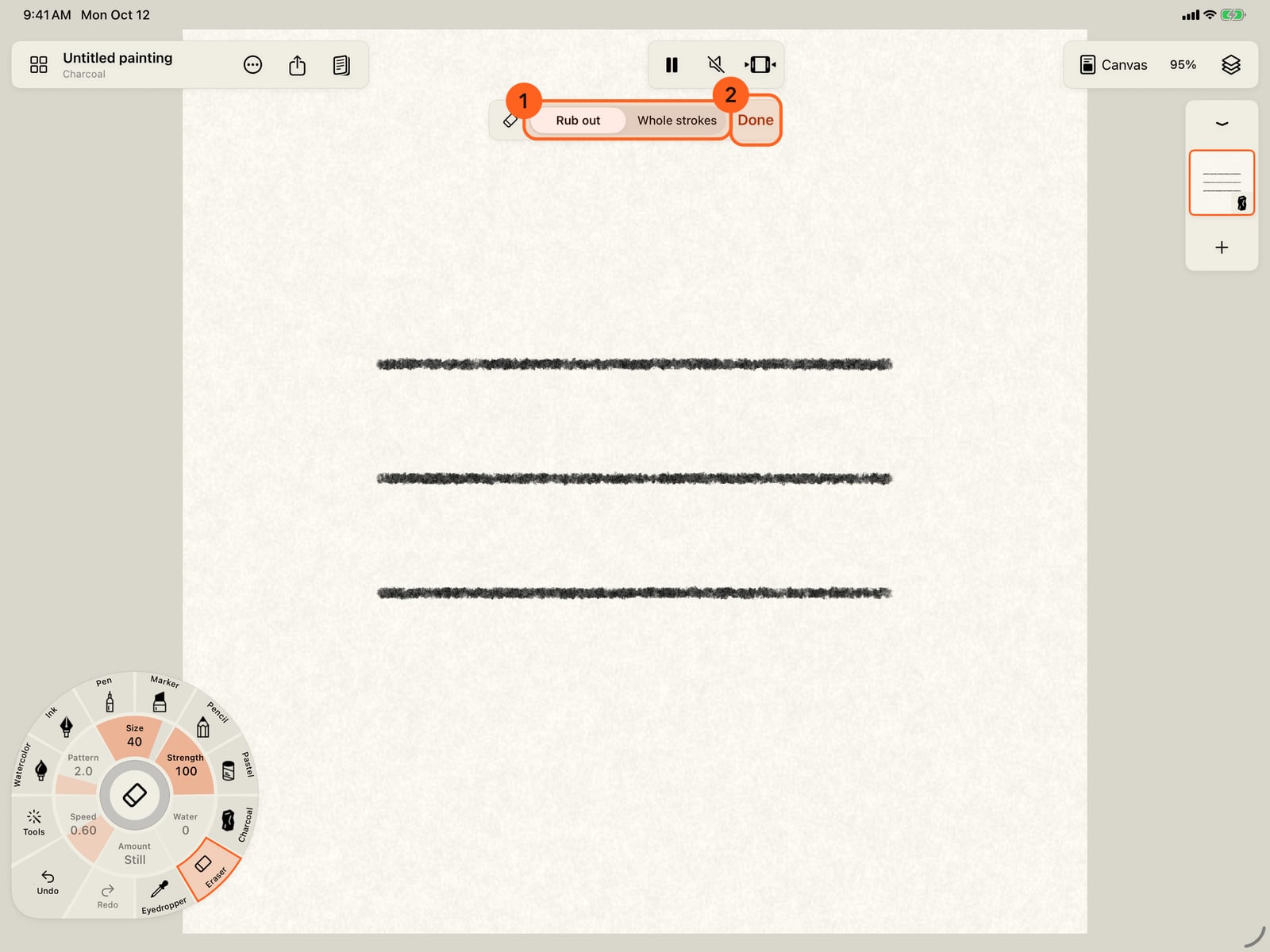
Take up Compressed Charcoal from the Charcoal brushes and paint three strokes.
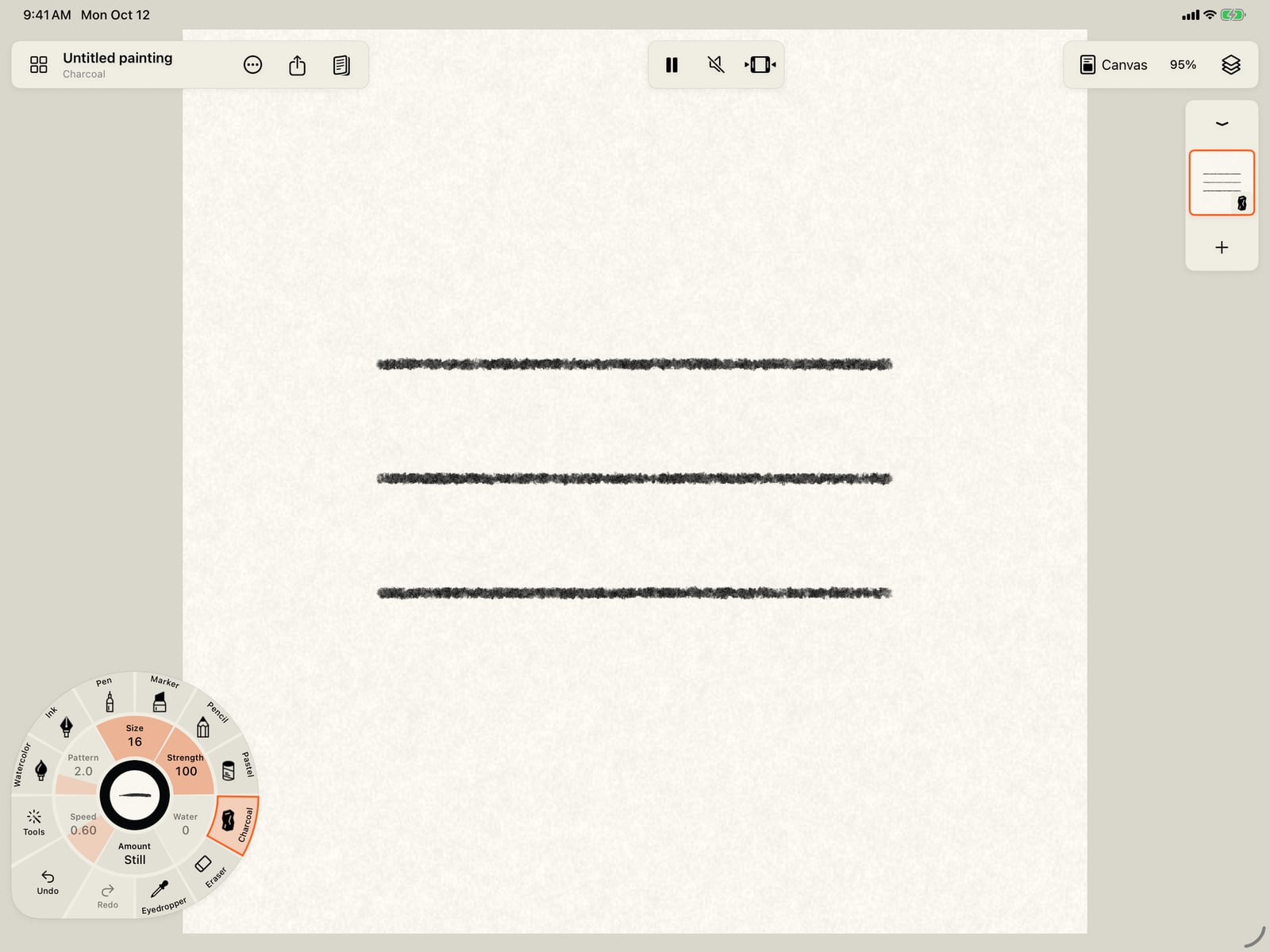
Unfold the wheel, take up Compressed Charcoal from the Charcoal brushes, and paint three strokes.
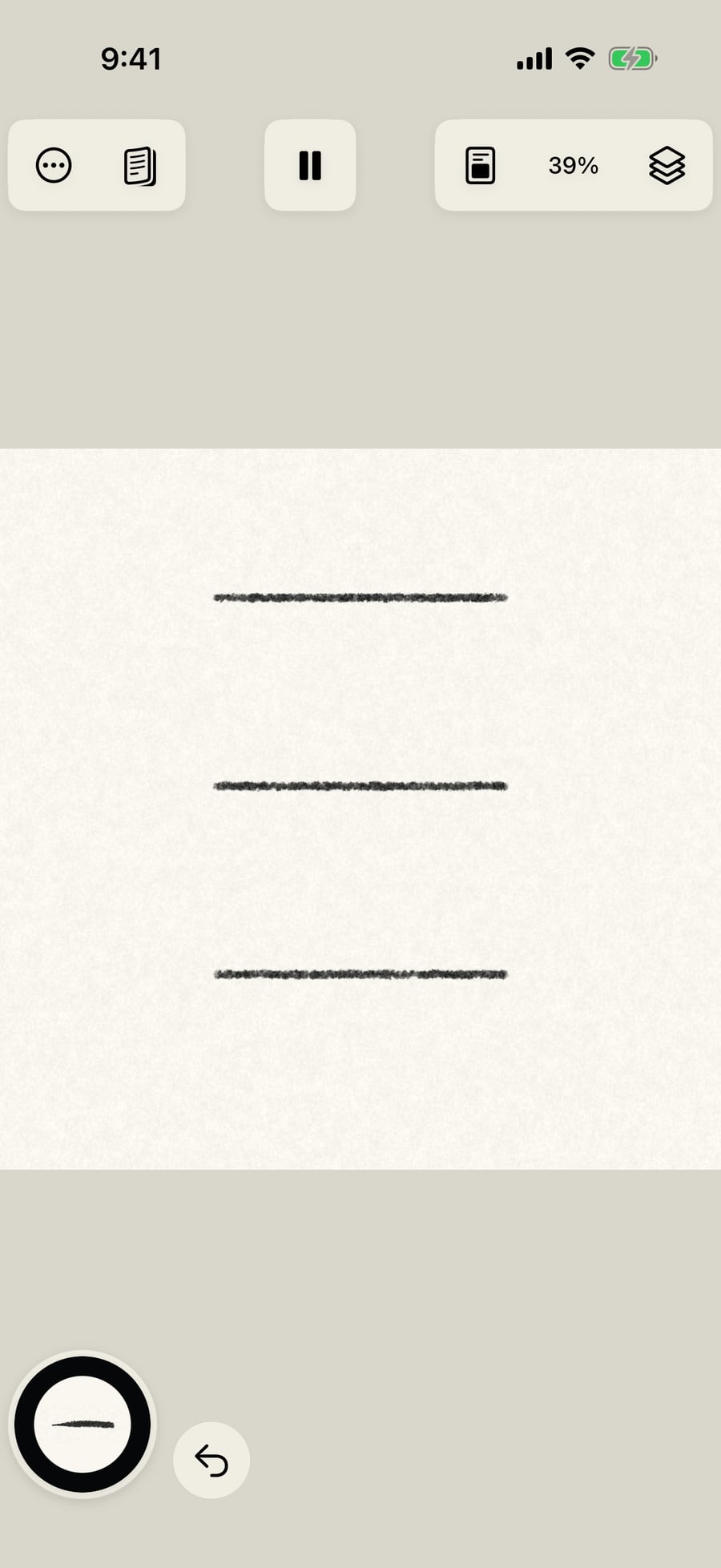
Tap the Eraser on the wheel's rim, after the media. Its bar at the top chooses what it takes, and Done returns to your brush.
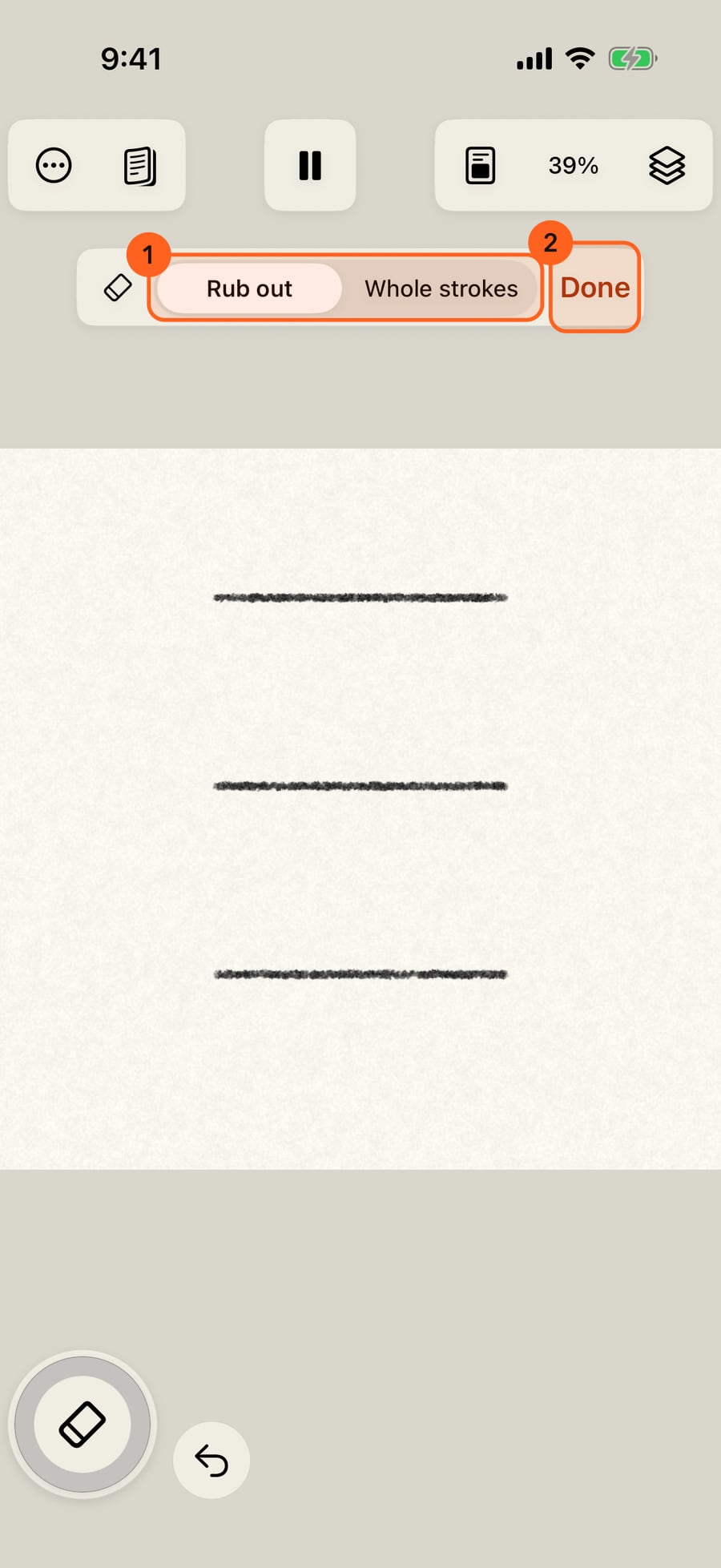
Unfold the wheel and tap the Eraser on its rim, after the media. Its bar at the top chooses what it takes, and Done returns to your brush.
Click the Eraser on the wheel's rim, after the media. Its bar at the top chooses what it takes, and Done returns to your brush.
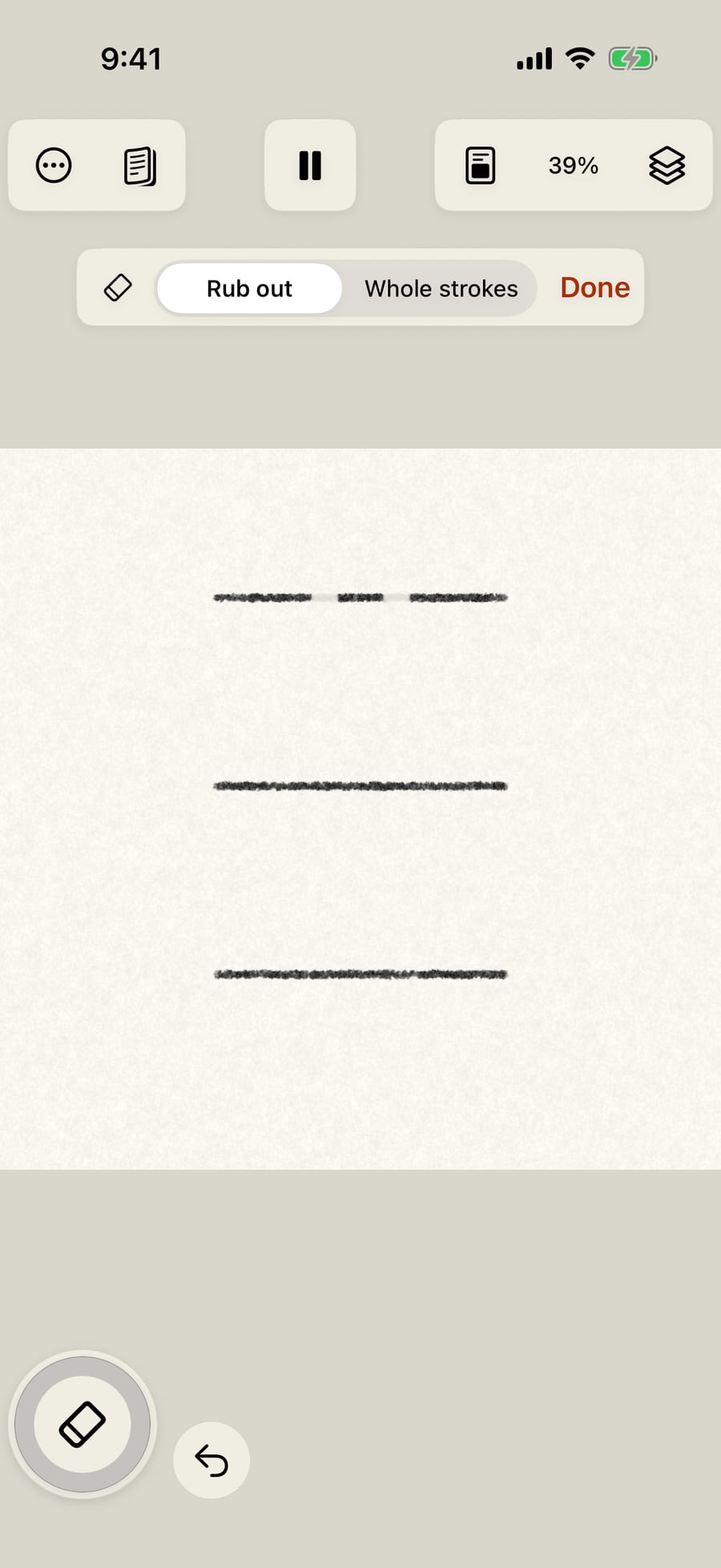
Rub across the top stroke. The Eraser takes the paint off where it passes, down to the paper, and leaves the rest. The middle stroke is untouched, to compare.
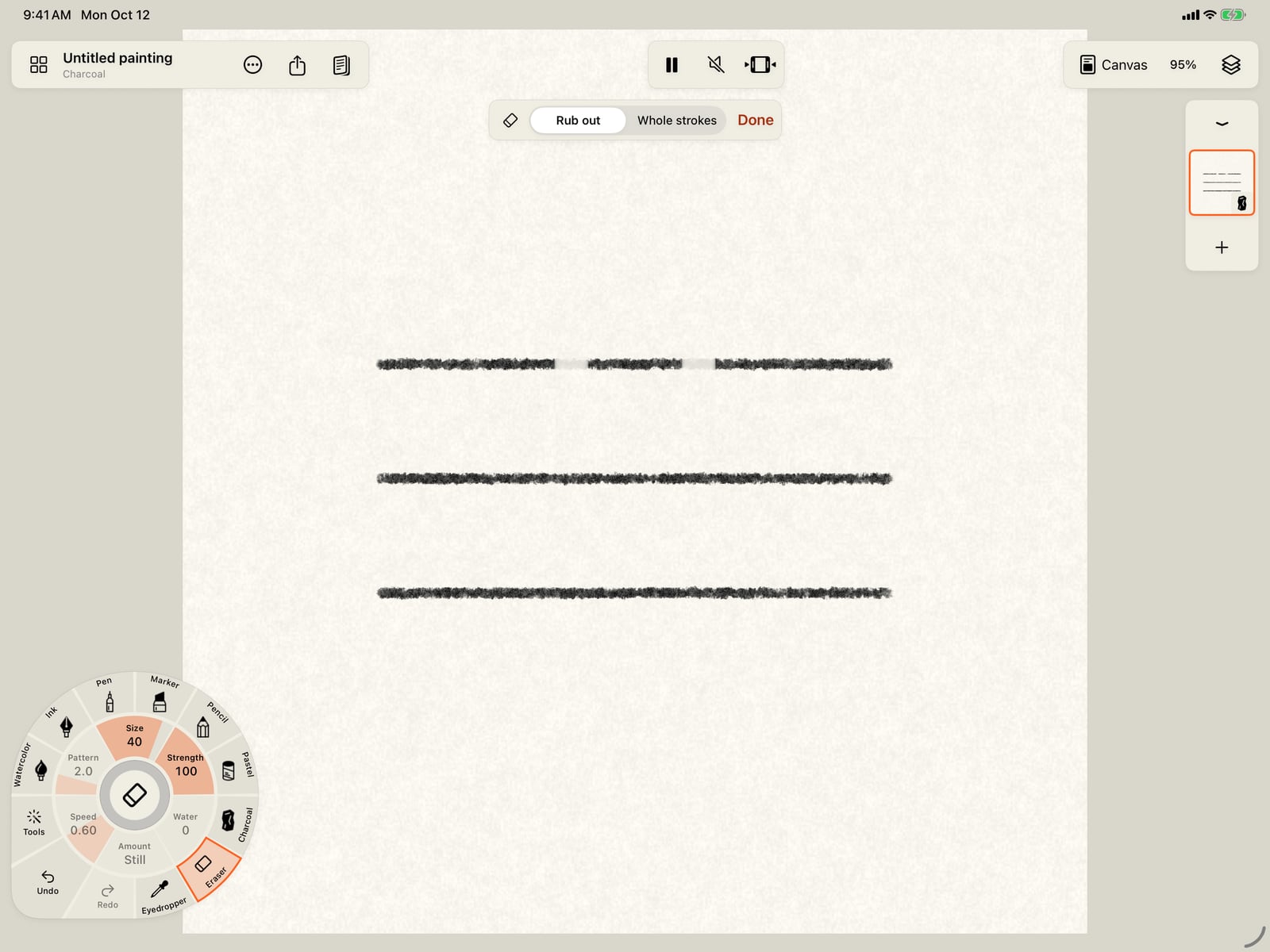
Rub across the top stroke. The Eraser takes the paint off where it passes, down to the paper, and leaves the rest. The middle stroke is untouched, to compare.
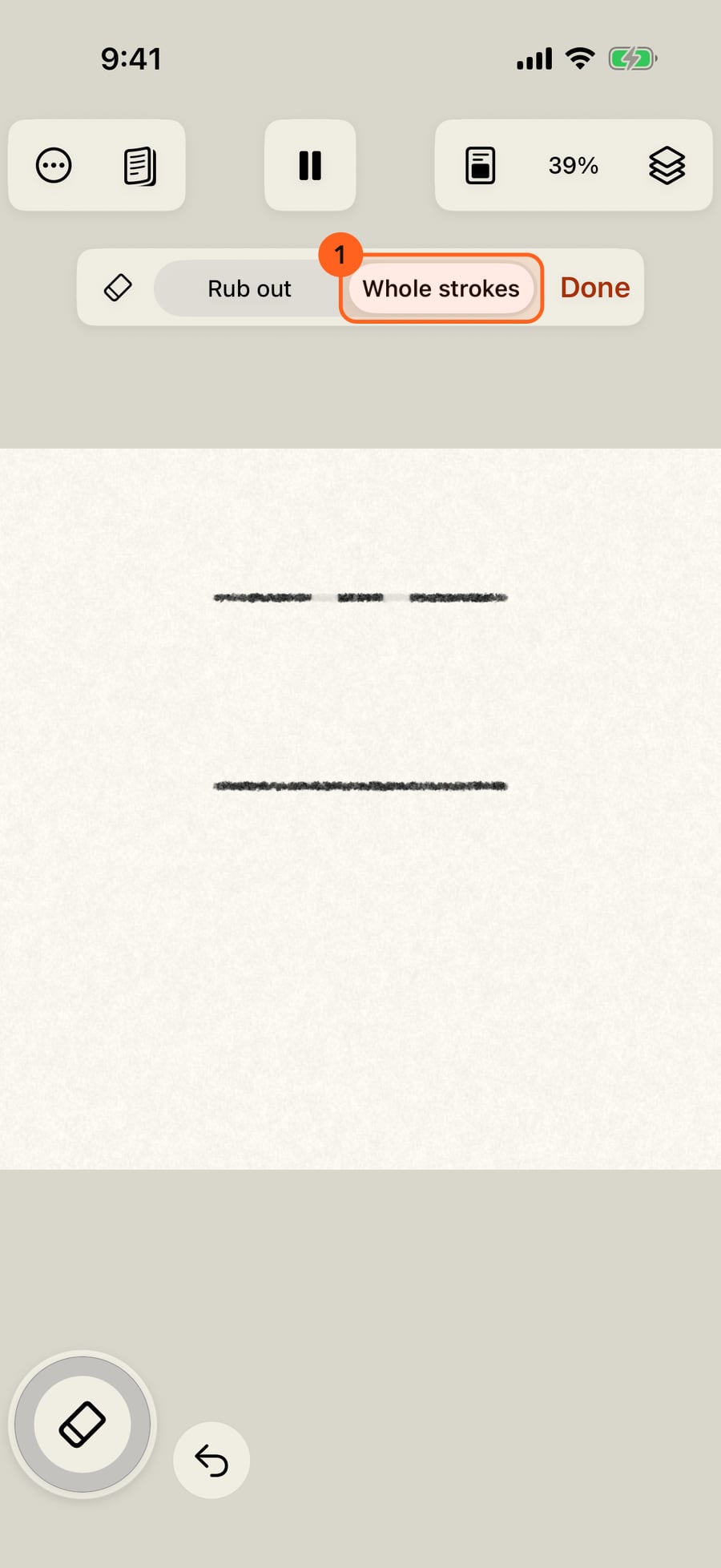
Switch to Whole strokes and draw across the bottom stroke. The whole stroke goes, however little of it you touched.
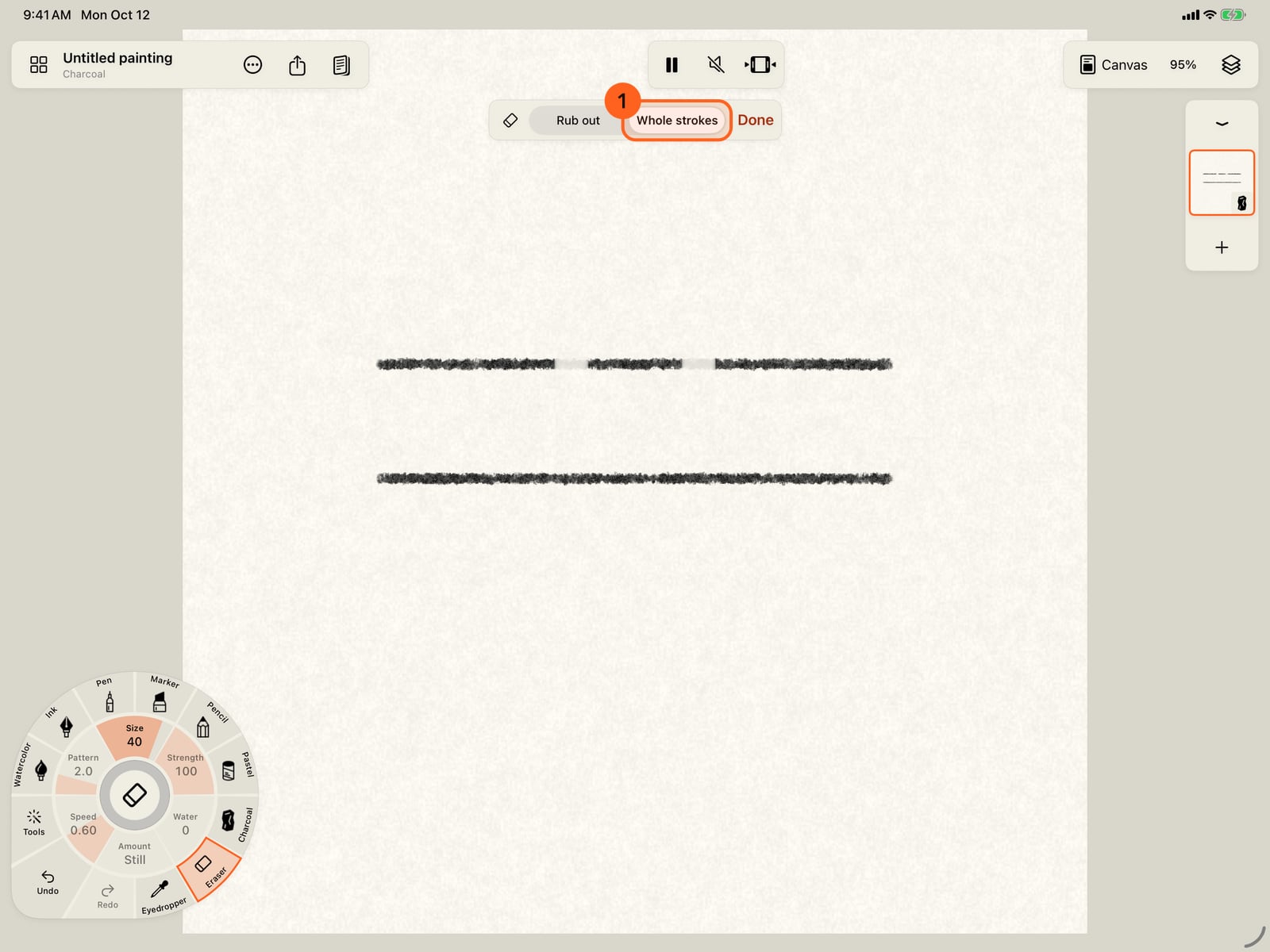
Switch to Whole strokes and draw across the bottom stroke. The whole stroke goes, however little of it you touched.
Tap Done to return to your brush, just as you left it. Erasing is a stroke like any other, so Undo takes it back.
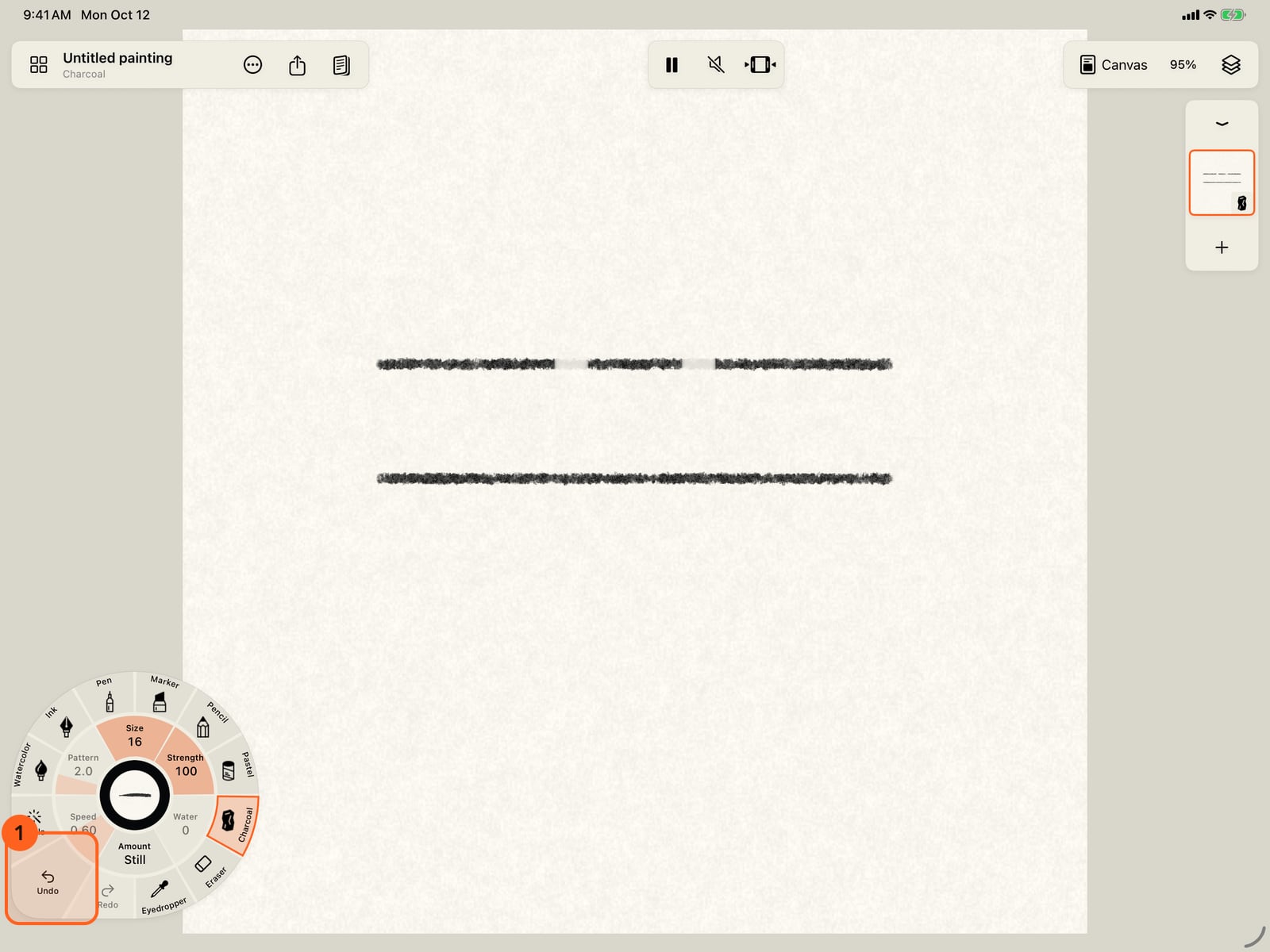
Tap Done to return to your brush, just as you left it. Erasing is a stroke like any other, so Undo takes it back.
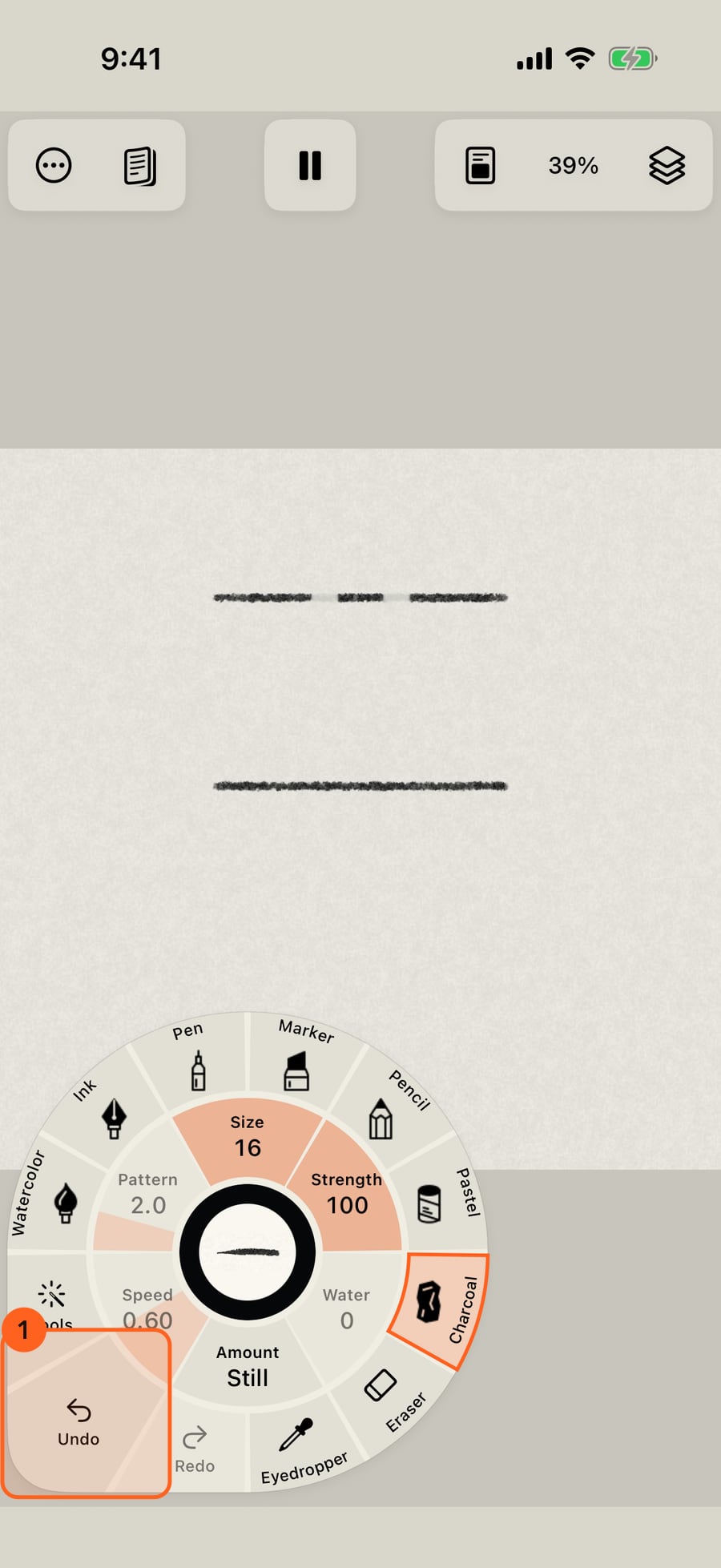
Click Done to return to your brush, just as you left it. Erasing is a stroke like any other, so Undo takes it back.
The Eraser
The Eraser on the wheel's rim, after the media, the E key, or an Apple Pencil double-tap or squeeze set to Switch to eraser turns the Eraser on. While it's on, the wheel's centre shows an eraser, and the bar at the top 1 chooses what it takes:
| Choice | What it does |
|---|---|
| Rub out | Takes paint off where you draw, down to the paper, like a real eraser. It works the same on every medium: wet or dried watercolour, staining pigments, Ink, and every dry medium. |
| Whole strokes | Removes every stroke you draw across, however little of it you touch. Only paint is taken: lifts, water and a Wet layer stay as they are. |
Done 2, the wheel's centre, the E key again or the medium in hand returns to your brush. The Eraser never changes it.
The Eraser has its own size and strength. While it's on, the wheel's Size and Strength gauges set the Eraser's, so a fine pen can still erase broadly; the motion gauges dim, since erasing doesn't move. A rub-out is a stroke of its own, so Undo takes it back. The Eraser works on the current layer; switching to an image layer or a locked layer ends it.
Lifting paint the painterly way
Each medium also has a lift brush among its brushes, for lifting as a painter would rather than erasing:
| Medium | Lift brush | How it lifts |
|---|---|---|
| Watercolor | Blot & Lift | Blots wet paint and water. Re-wet a dry wash with the Water Brush first; staining pigments resist lifting. |
| Pen, Marker | Lift | Takes the line back to paper. |
| Pencil | Graphite Lift | Lifts tone off the paper. |
| Pastel, Charcoal | Lift | Lifts particles; dense deposits resist more than loose ones. |
While a lift brush is in hand, the banner Lift · Done takes you back to the brush you had. See Blending tools.
Press E for the Eraser. Click and drag to rub out.
Try it in the app.
Download on the App Store Free for iPad, iPhone and MacSomething not behaving as expected?
Visit support or write to support@doodlydoodle.app.